Booking Automation 10 min read
Appointment Booking Automation That Actually Cuts No-Shows
A booked appointment is where a lead becomes real work, and where a lot of that work quietly falls away. How to automate the journey from booking link to attended appointment, and what to do when someone does not show.
On this page
For most service businesses, the booked appointment is the conversion that matters. It is the consultation, the estimate visit, the trial class or the first treatment. Before it, a lead is interest. After it, there is a real chance of revenue.
It is also where much of that chance leaks away: messages back and forth to find a time, confirmations nobody sends, reminders that depend on the front desk, and missed appointments that are never followed up. Appointment booking automation runs those steps on a schedule, every time, and keeps your CRM in step with the calendar.
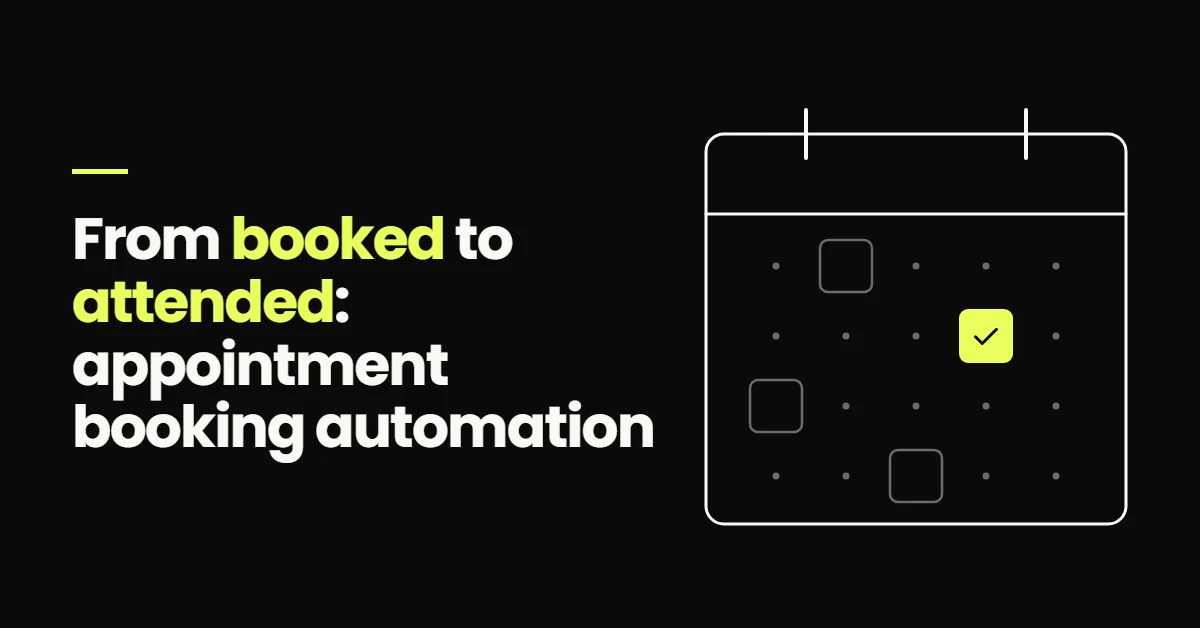
Appointment booking automation lets leads book from live calendar availability, then automatically sends a confirmation, reminders before the appointment, an easy rescheduling link, and a follow-up message if the person does not attend. Each booking, reschedule, cancellation and no-show also updates the lead's CRM record and pipeline stage. It will not guarantee attendance, but it removes the forgotten reminders and missing follow-up behind many avoidable no-shows and lost rebookings.
Where booking breaks down without automation
- 01Back-and-forth to find a time Agreeing a slot takes several messages over a day or two, and some leads give up in between.
- 02Confirmations that depend on someone If confirmations are sent by hand, busy days mean some people never get one.
- 03Reminders late or missing The person who sends reminders is off, or the list was not checked.
- 04No-shows with no next step A missed appointment gets one call to voicemail, then nothing.
- 05Calendar and CRM disagree Bookings live in one place and lead status in another, so nobody can see who actually attended.
None of these need more staff. They need the steps to run on their own.
The automated appointment journey
The automated appointment journey
- LeadQualified enquiry
- BookLive availability
- ConfirmSent instantly
- RemindBefore the visit
- AttendStage updates
Each step hands off to the next and writes back to the CRM. The sections below take them in order.
What has to work before the booking happens
Booking links where a ready lead already is
Put the booking link where a lead who is ready will see it: in the first follow-up text, on service pages, at the end of a qualifying chat, and in the reply when someone asks about availability. The follow-up that gets a lead to that point is covered in lead follow-up automation.
Qualification before booking
An open calendar invites bookings you cannot serve: the wrong service, outside your area, or not a real prospect. A few questions on the booking form, or a short qualifying step before the calendar appears, sends each lead to the right appointment type and filters out the rest politely. AI chat can do the same job in conversation.
Calendar availability that matches reality
Automation only helps if the calendar is right. Sync staff calendars so personal commitments block time, add buffers between appointments, set a minimum notice period so nobody books a slot that starts in ten minutes, and cap bookings per day where the team needs it. Businesses that travel to customers should allow for travel time or limit bookings by area.
Confirmations, reminders and rescheduling
Confirmation
Send it the moment the booking is made, by text and email. Include the date, time and time zone; the address or video link; who they will see; anything to bring or prepare; and a link to reschedule or cancel. A complete confirmation answers the questions that otherwise turn into phone calls.
The day-before reminder
A reminder around 24 hours ahead gives people time to rearrange if something has come up. Ask for a simple reply to confirm, and let the reply update the appointment status, so your team knows who has confirmed and who might need a call.
The shorter reminder
A second reminder a couple of hours before covers people who confirmed yesterday and have had a busy day since. Keep it short: time, place, reschedule link. Skip it automatically for appointments booked in the last few hours, so nobody receives a confirmation and two reminders at once.
Rescheduling and cancellation
Make changing an appointment easier than not turning up. A reschedule link in every message lets people choose a new time themselves. The system should then update the booking, send a fresh confirmation, restart the reminders for the new time and free the old slot for someone else.
These timings are starting points, not rules. A dental check-up booked weeks ahead needs a different rhythm from a same-day repair visit, so look at which reminders get replies and adjust.
Can booking automation reduce no-shows?
It can reduce the avoidable ones. Some people miss appointments because they forgot, got the time wrong, or could not easily move it. Clear confirmations, well-timed reminders and a simple reschedule link deal with exactly those causes. Other no-shows happen because plans change, interest fades or something urgent comes up, and no message fixes that. Measure your own show rate before and after, rather than relying on anyone's promised percentage.
What happens after someone misses an appointment
A no-show does not have to be the end of the lead. A recovery workflow starts when the appointment is marked as missed:
No-show recovery
- No-showMarked on the calendar
- MessageSame day, no blame
- RescheduleChoose a new time
A rebooked appointment goes back into the normal confirmation and reminder flow
The first message should arrive the same day and assume the best: "We missed you at 2pm today. No problem, here is a link to pick another time." If there is no response, send a second message a couple of days later, then create a task for someone to call. Stop there and move the lead to a nurture stage. Policies such as missed-appointment fees are a decision for your team, not something to automate by default.
Recovery depends on attendance being recorded correctly. If nobody marks appointments as attended or missed, the workflow either never fires or messages people who came. Make marking attendance part of the end-of-day routine, or use an integration that records it.
Keeping the CRM and pipeline in step with the calendar
Every change to an appointment should move the lead's record too. A typical mapping:
| Appointment event | Pipeline update | Automation that starts |
|---|---|---|
| Booked | Moves to Booked | Confirmation and reminders |
| Confirmed by reply | Stays in Booked, marked confirmed | None, the team can see who is expected |
| Rescheduled | Stays in Booked, new time | Reminders restart |
| Cancelled | Moves to Cancelled or Nurture | Rebooking message |
| No-show | Moves to No-show | Recovery sequence |
| Attended | Moves to Attended | Post-appointment follow-up |
With that in place, the pipeline shows who is booked, who attended and who needs attention, and you can report show rates by lead source. Why stages should move on events is explained in CRM automation, and building this with calendars and the Appointment Status trigger is covered in GoHighLevel automation for service businesses.
What happens after the appointment
An attended appointment starts the next workflow, and what it does depends on what the appointment was for:
- 01A thank-you and next steps Sent the same day, summarising what was agreed.
- 02Quote or treatment plan follow-up If a proposal was given, a short sequence checks in, with replies going to the person who wrote it.
- 03A review request Sent only after a completed appointment, while the experience is fresh.
- 04Rebooking for recurring services Servicing, check-ups and follow-up treatments get a reminder when the next one is due.
An example of a trial class booking
For Sixth Sense Martial Arts, trial class booking sits inside a GoHighLevel pipeline connected to Meta Ads. An enquiry is followed up by SMS and email, the prospect books a trial from the follow-up itself, and the booking is tracked against the opportunity rather than only in the calendar. If the prospect misses the trial, no-show recovery starts a defined next step instead of the thread ending there.
That last detail matters most. Trial and consultation businesses often treat a no-show as a lost lead. A structured next step gives the lead a way back in.
Where booking automation usually goes wrong
- 01Reminders for cancelled appointments The reminder workflow does not check the current status before sending.
- 02Time zone mistakes The calendar, the platform and the message template use different time zones.
- 03Every message at once Same-day bookings receive a confirmation and both reminders within minutes.
- 04Attendance nobody records No-show recovery never fires, or it messages people who came.
- 05Duplicate appointments on reschedule Rebooking creates a new appointment without cancelling the old one.
- 06Calendars that drift from reality Staff availability changes but the booking calendar does not.
Test each of these yourself before going live: book, reschedule, cancel and miss appointments, then check what every message said and where the pipeline ended up.
Who booking automation is for
It suits any business where appointments are the path to revenue: clinics and dental practices, consultants and advisers, trades that visit to quote, fitness studios with trial classes, and agencies booking introductory calls. It is less useful for walk-in businesses and emergency call-outs, where work is dispatched rather than scheduled.
If you want the booking flow designed and built into your CRM, it is part of my marketing automation services.
- Booking automation covers the journey from booking link to attended appointment: availability, confirmation, reminders, rescheduling and no-show recovery.
- Qualify before the calendar, and make availability match how your team actually works.
- Reminders reduce avoidable no-shows caused by forgetting or friction. Measure your own show rate rather than relying on promised figures.
- A no-show should start a friendly rescheduling sequence, and that depends on attendance being recorded.
- Every appointment event should update the CRM, so the pipeline shows who booked, who attended and who needs follow-up.
Frequently Asked Questions
Appointment booking automation is a system that lets people book appointments from live calendar availability and then handles the steps around the booking without manual work. It sends confirmations and reminders, lets people reschedule or cancel through a link, follows up when someone misses an appointment, and updates the lead's CRM record and pipeline stage at each step. Clinics, consultants, trades, fitness studios and other appointment-based businesses use it.
When an appointment is booked, the system schedules messages relative to the appointment time. A common setup sends a confirmation straight away, a reminder about a day before asking the person to confirm, and a shorter reminder a couple of hours before. Each message includes the time, location and a reschedule link. The workflow checks the appointment status before sending, so cancelled or rescheduled appointments do not receive the wrong reminder.
It can reduce avoidable no-shows, such as people who forgot, confused the time or found it too awkward to reschedule. Clear confirmations, timely reminders and an easy reschedule link address those causes directly. It cannot prevent no-shows caused by changed plans or lost interest, so nobody can honestly promise a specific reduction. Record attendance accurately and compare your own show rate before and after setting it up.
In an automated setup, marking the appointment as a no-show starts a recovery workflow. The person receives a friendly message the same day with a link to choose a new time. If they do not respond, a second message follows a few days later, then a task is created for a team member to call. Anyone who rebooks goes back into the normal confirmation and reminder flow. Leads who do not respond move to a nurture stage.
Yes, when the calendar and CRM are connected or part of the same platform. Each appointment event can move the lead's opportunity: a booking to a Booked stage, attendance to an Attended stage, and a no-show or cancellation to a recovery or nurture stage. Those stage changes start the right follow-up automatically and give you accurate reporting on show rates and bookings by lead source.