Marketing Automation 11 min read
Marketing Automation for Service Businesses Made Practical
Most service businesses still handle leads by hand: calls, texts, a spreadsheet someone forgets to update. What marketing automation actually covers, what it does not, and which piece to build first.
On this page
If you run a dental practice, an HVAC company, a law firm or any business that sells a service, you have probably heard "marketing automation" used to mean a dozen different things. An email newsletter. A CRM. A chatbot. Usually it means whatever the person selling it happens to sell.
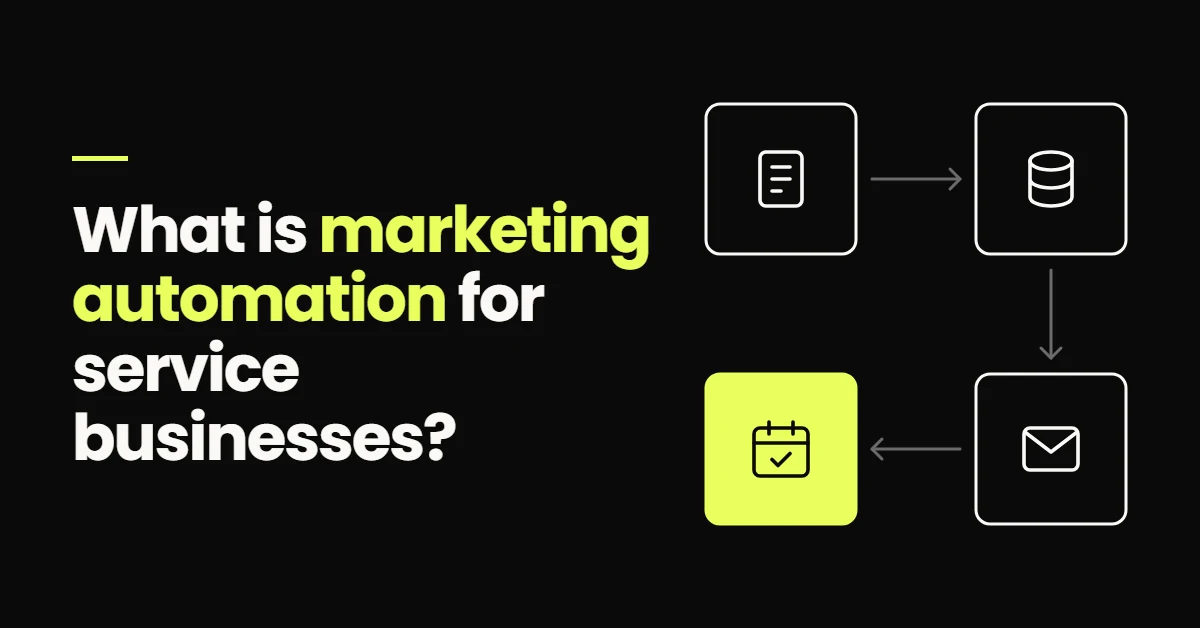
For a service business, marketing automation has a narrower and more useful meaning: software that runs the repeatable steps between someone enquiring and that person becoming a booked appointment or a paying client.
Marketing automation for service businesses is software that handles lead capture, CRM updates, follow-up messages, appointment booking, reminders and re-engagement automatically, based on rules and on what each lead does. It does not replace the people who run consultations, write quotes or close sales. It makes sure every enquiry gets a fast reply, consistent follow-up and a clear path to a booking, so those people spend their time on conversations rather than admin.
What marketing automation means for a service business
Marketing automation is the use of software to carry out the tasks that move a lead toward becoming a customer, triggered by time or by the lead's own actions rather than by someone remembering to do them.
In a service business those tasks look different from ecommerce or software. There is rarely a checkout button. The conversion is an appointment, a site visit, a consultation, an estimate or a trial class, and somewhere in the process a person has to talk to the customer. That changes what is worth automating. The goal is not to remove the human conversation. It is to make sure every lead reaches it quickly, with context, and without being dropped along the way.
It also explains why lead handling matters as much as lead volume. A service business might get twenty enquiries a week, each worth hundreds or thousands in revenue. Losing a few of them to a slow reply or a forgotten callback is an expensive leak, and it happens quietly.
If a step only happens when one specific person remembers to do it, that step is not automated, whatever the software costs.
How marketing automation works
Every marketing automation platform runs on the same three parts, whatever the vendor calls them:
- 01A trigger Something happens: a form is submitted, a call is missed, a lead replies, an appointment is booked, or a set amount of time passes.
- 02Conditions Rules decide whether and how to act: which service they asked about, where they are, whether they have already replied.
- 03Actions The system does the work: sends a text or email, updates the contact record, moves a pipeline stage, notifies a team member, creates a task.
All of it writes back to one contact record, usually inside a CRM. That record is what lets the next automation make a sensible decision. A reminder should not go to someone who cancelled, and a follow-up should not go to someone who replied an hour ago. Without a shared record, automations act on stale information and start annoying people.
What marketing automation handles, from enquiry to booking
For a service business the useful functions follow the path a lead takes. Each one is worth building on its own, and each works better when the others are in place.
What marketing automation handles
- Lead captureEvery source, one record
- CRMStage, source, owner
- Follow-upUntil they reply
- BookingConfirm and remind
Lead capture
Website forms, ad lead forms, chat, missed calls and direct messages all create a contact automatically, with the source recorded. No enquiry depends on someone copying it out of an inbox.
CRM records and pipeline
Each lead lands in a pipeline stage that updates as the lead replies, books or goes quiet, so you can see what is happening without asking around. This is the backbone of the system, and it is covered in depth in the guide to CRM automation.
First response and follow-up
A new lead gets an acknowledgement within a minute or two, then a few spaced texts and emails if they do not reply, stopping the moment they do. Timing, channels and stop rules decide whether this helps or annoys, so they have their own guide to lead follow-up automation.
Booking and reminders
Qualified leads choose a slot from live availability instead of trading messages. Confirmations and reminders go out on schedule, and a missed appointment starts a rescheduling message instead of being forgotten. The full journey is in the guide to appointment booking automation.
Re-engagement
Leads who went quiet, and past customers due a repeat service, get a relevant message weeks or months later. These contacts already know your business, which makes them some of the cheapest conversations you can start.
Reporting
Because every step writes to the same record, you can see which sources produce booked appointments and where leads drop out. Marketing decisions become comparisons instead of guesses.
One enquiry, handled two ways
A homeowner fills in a quote request for a boiler service at 8:40 on a Friday evening. They also fill in forms for two other companies, because that is what people do.
In a manual setup, the form lands in an inbox. Nobody sees it until Monday. Someone calls at 10am, gets voicemail, makes a note to try again, and gets pulled onto a job. By Wednesday the homeowner has booked with whoever replied first, and the enquiry sits in the inbox marked as read.
In an automated setup, the homeowner gets a text within a minute confirming the request and asking one question about the boiler. Their reply updates the CRM and notifies the office. On Monday morning the team sees the lead at the top of the pipeline with the answer attached, and a booking link has already gone out. Had there been no reply, a follow-up would have gone out on Saturday and another on Monday.
Manual vs automated customer journey
Manual
- Reply when someone checks the inbox
- One call attempt, then a note
- Status lives in someone's head
- Quiet leads are forgotten
Automated
- Acknowledged within a minute, any hour
- Follow-up runs until they reply
- Stage updates as things happen
- Quiet leads get a later check-in
The automated version did not need a better salesperson or more leads. It reached the same lead while the homeowner was still paying attention.
What marketing automation does not replace
- 01Your team It handles repetitive, time-sensitive steps. Consultations, site visits, quotes, negotiation and difficult conversations stay with people.
- 02Your offer Automation delivers your message faster and more consistently. It cannot make an uncompetitive price or a weak service convert.
- 03Lead generation It converts more of the leads you already get. If nobody is enquiring, the fix is visibility, traffic or advertising first.
- 04Judgement Deciding whether a lead is a good fit, when to make an exception, or how to handle a complaint needs a person.
- 05Email newsletters Sending a monthly campaign to a list is email marketing. Marketing automation reacts to individual leads across SMS, email, calls and chat.
The first point comes up in almost every first conversation I have about this, so it is worth stating plainly: automation changes what staff spend their time on. It does not remove the need for them.
Where first attempts at automation go wrong
Most of the failed setups I get asked to look at went wrong for the same few reasons, and none of them were about the software:
- 01Automating a process nobody agreed on If the team cannot describe what should happen to a new lead, automation only makes the confusion faster. Write the steps down first.
- 02Starting with the advanced pieces AI chat and voice agents get built before anyone has fixed first response or the pipeline, which is where most of the benefit is.
- 03Treating the platform as the system Buying a tool is not the same as configuring it. An account on default settings automates very little.
- 04Building everything at once When ten workflows go live together and something breaks, nobody can tell which one caused it. Add one piece, check it against real leads, then add the next.
- 05Never reviewing it Messages go stale, staff change, services change. A system nobody has opened in a year is quietly drifting.
The structural reasons automation fails, such as disconnected tools and missing handoffs between stages, are covered in the more advanced guide to marketing automation systems that improve conversions.
What to look for in a marketing automation platform
The platform needs to cover the whole path from capture to booking, or connect cleanly to tools that do. Before comparing prices, check what it can actually do:
| Capability | Why it matters |
|---|---|
| CRM with pipelines | Leads need a stage and an owner, not just a row in a list |
| Two-way SMS and email | Leads reply, and the reply has to reach a person and stop the sequence |
| Triggers on replies and bookings | Follow-up has to react to what the lead does, not only to the clock |
| Booking calendars | Confirmations and reminders need to know when the appointment is |
| Source tracking and reporting | You need to see which channels produce booked work |
| Consent and opt-out handling | Texting rules apply, and opt-outs must be honoured automatically |
There are two broad routes. An all-in-one platform keeps CRM, messaging, calendars and workflows in one place, which removes most integration work. A CRM connected to separate tools gives more choice for each piece, at the cost of more connections that can break without anyone noticing. Most of the service businesses I work with end up on GoHighLevel for the first reason, but a carefully configured alternative will beat a badly configured all-in-one every time.
When marketing automation makes sense, and when to wait
It is usually worth building when leads arrive from more than one channel, when response depends on one or two busy people, when enquiries come in during evenings and weekends, or when you are about to spend more on advertising and cannot say what happened to last month's enquiries.
It is worth waiting when volume is low enough that the owner answers every enquiry personally within the hour, or when the sales process itself still changes week to week. In that case, write the process down and run it by hand for a month. You will automate a better version of it later.
Where to start
Build in the order a lead travels. Each step is useful on its own, so you stop losing leads while the rest is still being built.
-
First
Instant response One rule for every lead source: create the contact and send an acknowledgement within a minute or two.
-
Second
The pipeline Stages that match your real sales process, moved by replies and bookings, with the source on every lead.
-
Third
Follow-up A short sequence for leads who do not reply, with a hard stop when they do.
-
Fourth
Booking and reminders Live availability, a confirmation, reminders and a message when someone misses an appointment.
-
Then
Re-engagement and reporting Check-ins for quiet leads and past customers, and a monthly look at what the numbers say.
If you would rather have this built for you, that is what my marketing automation services cover, from the first response rule through to reporting.
- For a service business, marketing automation covers the steps between an enquiry and a booked appointment: capture, CRM, follow-up, booking, reminders and re-engagement.
- It runs on triggers, conditions and actions, all writing to one contact record.
- It replaces admin and chasing, not the people who consult, quote and close.
- Most early failures come from automating an undefined process or starting with advanced tools before the basics.
- Start with instant response and a pipeline, then add follow-up, booking and re-engagement in that order.
Frequently Asked Questions
Marketing automation for a service business is software that runs the repeatable steps between an enquiry and a booked appointment. It captures leads from forms, calls and ads into a CRM, sends a fast first response, follows up until the lead replies, offers booking slots, sends reminders and re-engages leads who went quiet. The steps are triggered by time or by what the lead does, so they happen consistently without a person starting each one.
It handles the tasks that repeat for every lead. That includes creating a contact record for each enquiry, noting the channel it came through, replying to new enquiries, sending follow-up texts and emails, moving pipeline stages, notifying the right team member, offering booking slots, reminding people before appointments, chasing missed appointments and checking in with past customers. Tasks that need judgement, such as quoting complex work or handling complaints, should stay with people.
No. It replaces admin and chasing, not the people who run consultations, visit sites, write quotes and close sales. In most service businesses the practical effect is that staff stop spending hours copying enquiries into a CRM, sending reminders and trying to remember who needs a callback. That time goes back into conversations with customers. Someone still needs to own the system, answer replies and review how it is performing.
In practice, yes. Automation needs a single record for each lead so it knows what has already happened: whether they replied, booked, cancelled or asked to stop. Without that record, messages go to the wrong people at the wrong time. The CRM can be part of an all-in-one platform or a separate system connected to your messaging and booking tools, but it has to exist and stay up to date.
Start with instant response. Set up one rule that creates a contact from every lead source and sends an acknowledgement within a minute or two, then build a simple pipeline that shows where each lead stands. Those two pieces fix the most common leaks. Follow-up sequences, booking automation, reminders and re-engagement come next, added one at a time so you can check each against real leads.