Service / AI Development with Claude Code

AI development with Claude Code for websites, apps and custom tools.

AI development with Claude Code means using it to plan, build, debug, test, refactor, and document websites, Android apps, internal tools, calculators, integrations, and custom software projects.

The development is AI-assisted, but architecture, quality control, testing, security, accessibility, performance, and final decisions remain part of a disciplined human-led process.

  • Computer Science background
  • Web development experience since 2018
  • Websites, Android apps and custom tools
  • AI-assisted and human-reviewed development
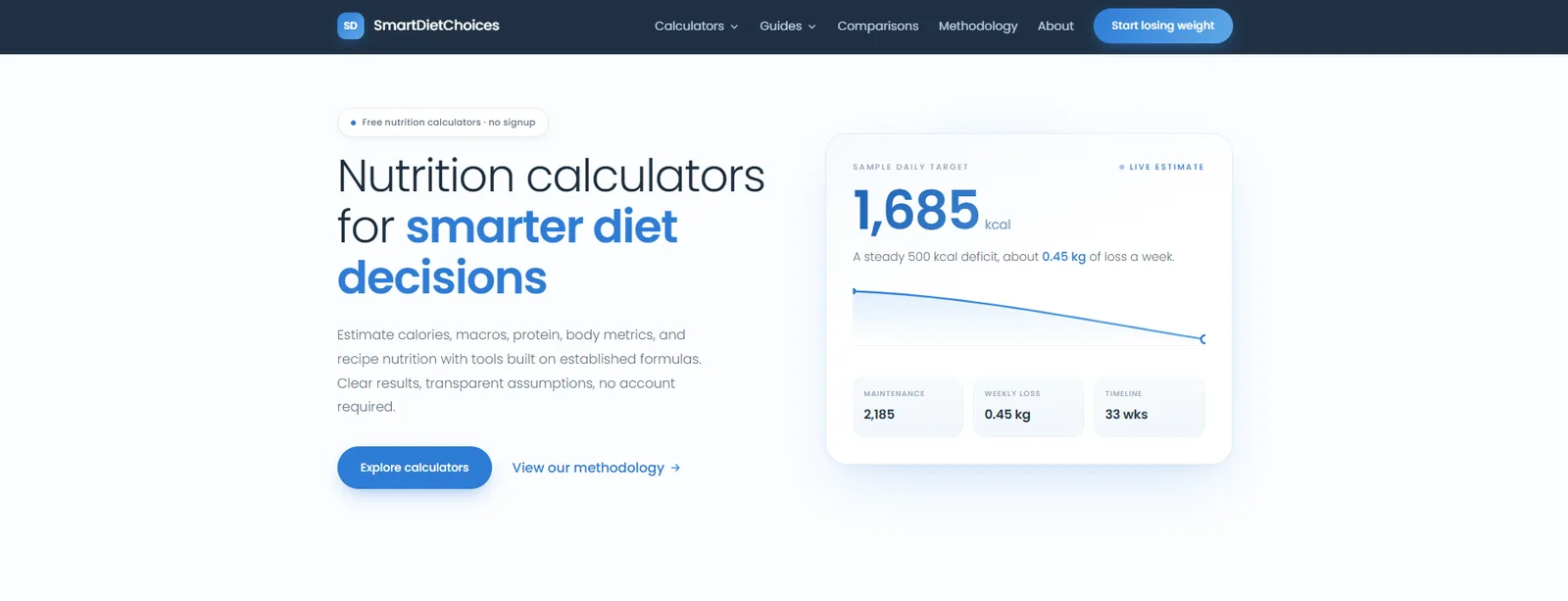
SmartDietChoices nutrition calculator platform homepage, a static site built with Claude Code
Static build SmartDietChoices, calculator platform
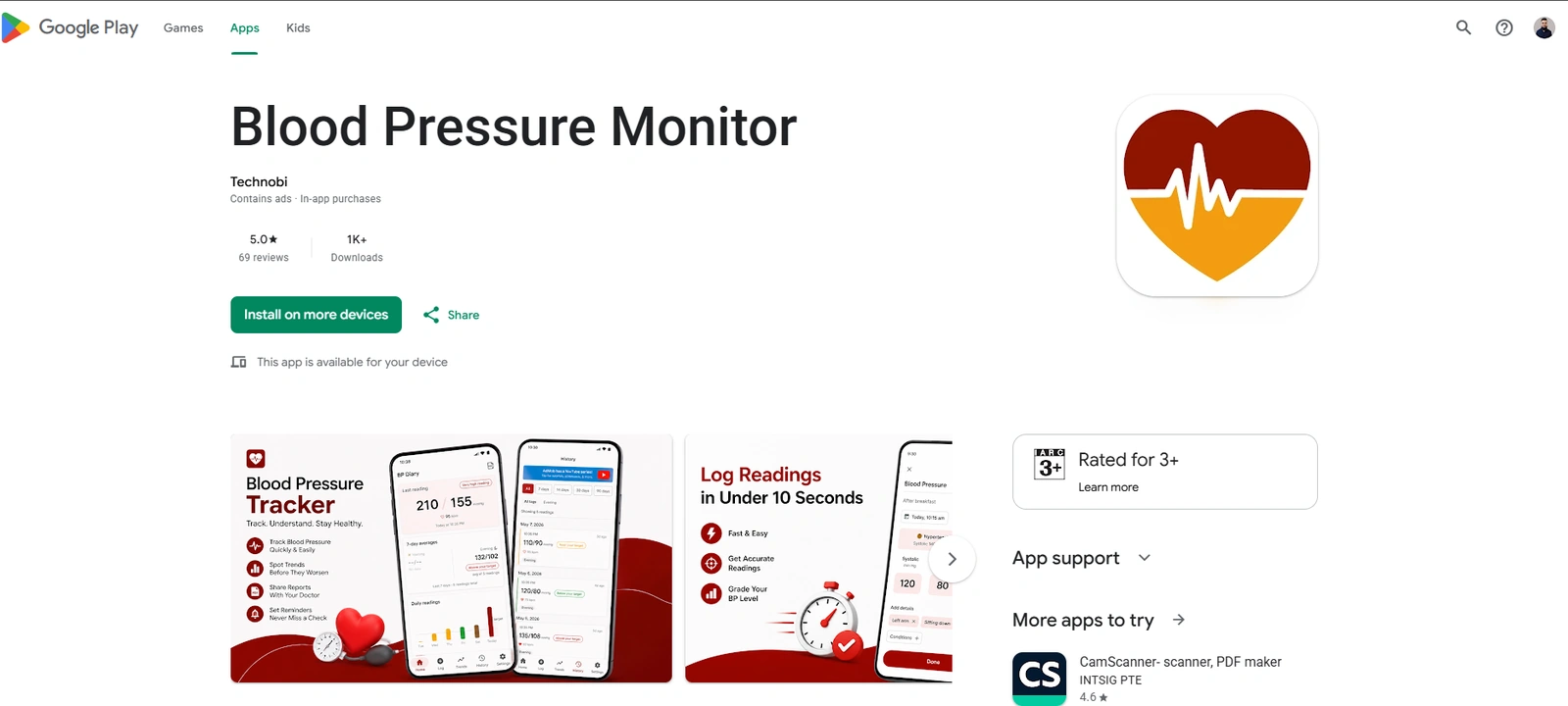
Blood Pressure Monitor Android app listing on Google Play, published by Technobi
Kotlin, Compose Blood Pressure Monitor, on Google Play
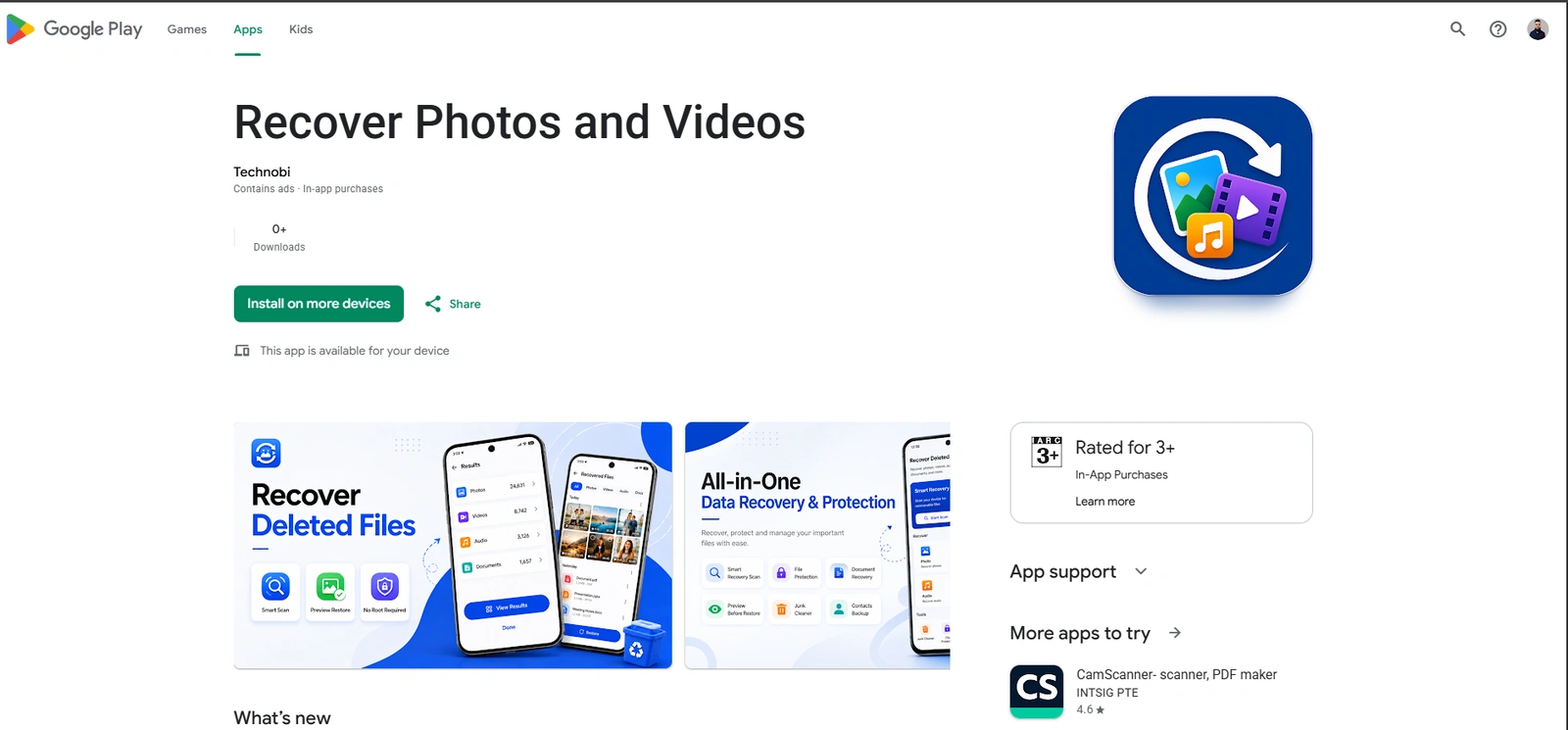
Recover Photos and Videos Android app listing on Google Play, published by Technobi
Kotlin, Compose Recover Photos and Videos, on Google Play
01 01 / The method

AI-assisted development is not one prompt and one finished product.

Claude Code can inspect a codebase, understand project structure, generate implementation plans, write code, run tests, identify issues, refactor components, and document changes. The work still requires clear requirements, technical judgment, verification, and review.

  1. 01Understand
  2. 02Plan
  3. 03Build
  4. 04Test
  5. 05Review
  6. 06Improve
  7. 07Deploy

The tool accelerates execution. It does not remove responsibility for the result

02 02 / Capabilities

What I build with Claude Code.

Eight kinds of project. Claude Code is not the right tool for every one of them every time, and the stack decision comes before the tooling decision.

Business websites

Clean, responsive business websites built around clear content hierarchy, lead capture, SEO foundations, performance, and conversion.

HTMLCSSJavaScriptTechnical SEO
Scoped through web design and development services

Typical deliverables

  • Homepage
  • Service pages
  • About page
  • Case studies
  • Contact forms
  • Responsive layouts
  • Analytics
  • Technical SEO
  • Deployment

Static websites

Fast, secure, lightweight websites built with HTML, CSS, JavaScript, or an existing static stack. This site is one of them.

StaticComponentsSchemaLow maintenance

Typical deliverables

  • Clean structure
  • Responsive layouts
  • Reusable components
  • Lightweight JavaScript
  • SEO metadata
  • Structured data
  • Deployment setup
  • Performance review

Landing pages

Focused landing pages for advertising, lead generation, product launches, appointments, campaigns, and specific offers.

FormsTrackingCRM connectionMobile
Connected to paid advertising services

Typical deliverables

  • Message hierarchy
  • Conversion layout
  • Forms
  • Calls to action
  • Tracking
  • CRM connection
  • Thank-you page
  • Mobile optimization

Utility websites and calculators

SEO-focused calculators, generators, formatters, and interactive utility tools built around a clear user task.

Calculation logicValidationStructured dataTesting

Typical deliverables

  • Calculation logic
  • Input validation
  • Results interface
  • Explanatory content
  • Mobile support
  • SEO pages
  • Structured data
  • Testing

Android applications

Android utility applications built or improved using Kotlin, Jetpack Compose, Room, Hilt, WorkManager, DataStore, and related Android technologies.

KotlinJetpack ComposeRoomWorkManager

Typical deliverables

  • UI implementation
  • Local data
  • Background work
  • Notifications
  • App architecture
  • Validation
  • Testing
  • Release preparation
  • Play Store support

Internal tools

Custom tools that help teams manage information, automate repeatable work, process data, or support internal operations.

DashboardsData flowRolesExport

Typical deliverables

  • Requirements mapping
  • User roles
  • Data flow
  • Forms
  • Dashboards
  • Validation
  • Export
  • Documentation
  • Deployment

APIs and integrations

Custom integrations connecting websites, CRMs, APIs, webhooks, AI models, and internal systems.

Node.jsWebhooksAuthenticationLogging
Often paired with marketing automation services

Typical deliverables

  • API connections
  • Webhooks
  • Authentication
  • Validation
  • Logging
  • Error handling
  • Data mapping
  • Documentation

Existing codebase improvement

I use Claude Code to understand, debug, refactor, test, document, and improve existing projects without rebuilding everything unnecessarily.

AuditRefactorTest coverageDocumentation

Typical deliverables

  • Codebase audit
  • Bug fixes
  • Refactoring
  • Responsive fixes
  • Accessibility improvements
  • Performance work
  • Test coverage
  • Documentation
03 03 / Workflow

Claude Code is part of the workflow, not the entire workflow.

Nine stages. Claude Code contributes to most of them and decides none of them. Skipping review and testing turns speed into risk.

01Requirements

Define the business goal, users, scope, functionality, constraints, integrations, and expected outcome.

02Codebase review

Inspect the current architecture, technologies, dependencies, conventions, deployment, and known issues.

03Implementation plan

Break the work into clear tasks, dependencies, risks, acceptance criteria, and testing requirements.

04Development

Build features, layouts, interactions, integrations, data handling, and supporting logic.

05Review

Inspect generated and existing code for correctness, security, maintainability, accessibility, and consistency.

06Testing

Run unit, integration, UI, responsive, browser, and manual tests where appropriate.

07Refactoring

Reduce duplication, improve clarity, remove weak code, and align the implementation with project standards.

08Deployment

Prepare the production build, configure routing, preserve analytics, validate assets, and deploy safely.

09Monitoring

Review errors, user behavior, performance, and operational feedback after launch.

Skipping review and testing turns speed into risk. Generation is the cheapest part of the process now, which makes the checks around it matter more, not less.
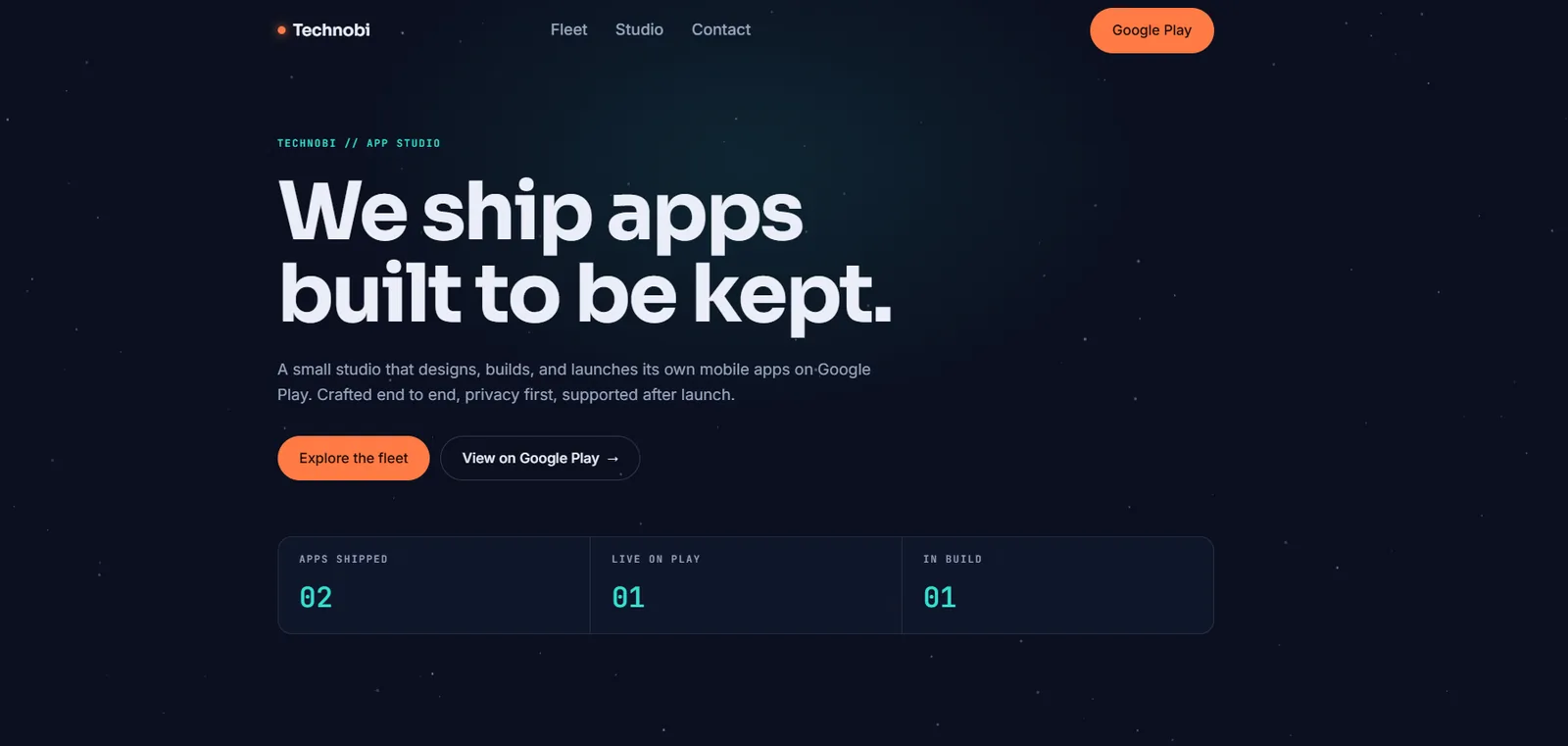
04 04 / Selected work

AI-assisted development across websites, tools and apps.

Projects where Claude Code was part of the build. Two are published on Google Play, the rest are live on the web. No project counts, speed figures, or productivity numbers are published, because I have not measured them.

Also built this way, no screenshot published

  • moazarshad.com, this site. Static HTML, CSS and JavaScript with shared partials, schema, and responsive testing, rebuilt with Claude Code
  • BillNest, an Android bill reminder and subscription tracker using Room, Hilt, WorkManager, DataStore, notifications, backup and restore, export, widgets, and OCR-assisted import
  • Cycle Care, an Android period tracker reskin with responsive layout work, a theme system, security improvements, accessibility and contrast testing, and automated tests

Custom integration

  • A Node.js integration server connecting the GoHighLevel API with an AI model, running inside a live client account
  • Contacts, pipelines and workflows can be managed programmatically through it
  • Described in full in section 08 below

The full write-up sits in the Built with Claude Code case study

05 05 / Web development

Build faster without lowering the standard.

Claude Code is especially useful when the project already has clear design rules, content requirements, components, and acceptance criteria. Where those are missing, the first job is to write them, not to start generating.

Where it helps on a web build

  • Codebase understanding
  • Page architecture
  • Component creation
  • Responsive implementation
  • Content integration
  • CSS refactoring
  • JavaScript interactions
  • SEO implementation
  • Schema
  • Accessibility
  • Testing
  • Deployment

Not every website should be built this way. Scope, stack and handover are decided in web design and development services

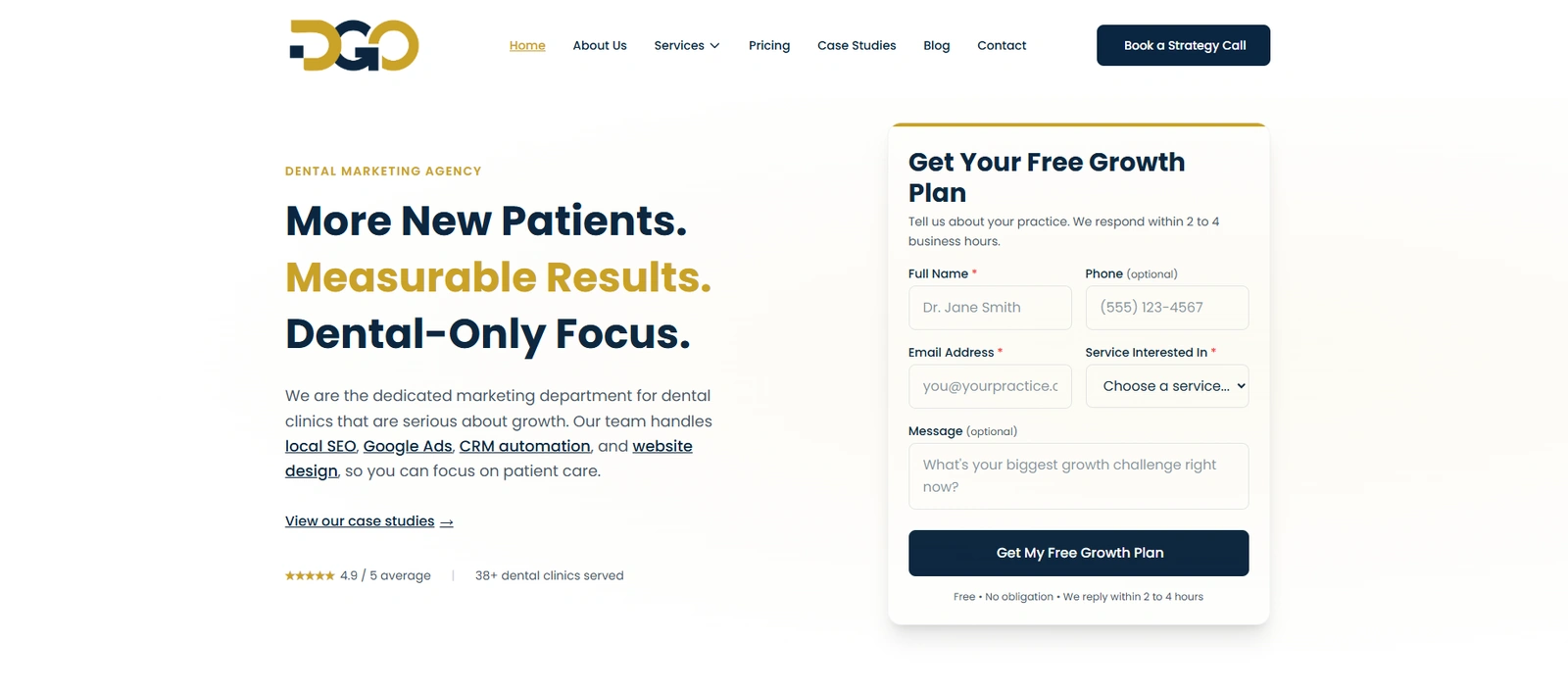
Dental Growth Ops static marketing website homepage, built with Claude Code
Dental Growth Ops, a static marketing site built through this workflow
06 06 / Android

AI-assisted Android development still requires platform knowledge.

Claude Code can accelerate implementation, debugging, refactoring, test creation, and documentation. Android architecture, lifecycle behavior, permissions, background work, API compatibility, security, and Play Store requirements still need careful review.

Technologies used

What the apps are built with

Only technologies actually used in shipped work are listed here.

Stack

  • Kotlin
  • Jetpack Compose
  • Room
  • Hilt
  • WorkManager
  • DataStore
  • Glance widgets
  • Notifications
  • Storage Access Framework
  • JSON, CSV and PDF export
  • Responsive layouts
  • Unit and UI testing
Still needs a human

What the tool does not decide

These are the areas where a wrong answer ships to users and shows up as a crash, a rejected release, or a privacy problem.

Reviewed by hand

  • App architecture and module boundaries
  • Lifecycle and process death behavior
  • Runtime permissions
  • Background work limits and battery policy
  • API level compatibility
  • Data handling and storage scope
  • Play Store policy and release requirements
Blood Pressure Monitor Android app listing on Google Play showing the app screenshots and rating

Blood Pressure Monitor, published to Google Play

Recover Photos and Videos Android app listing on Google Play showing the app screenshots

Recover Photos and Videos, published to Google Play

07 07 / Tools

Small tools can become useful search and product assets.

A calculator is not finished when the formula works. The page still needs to be understandable, trustworthy, responsive, and searchable.

SmartDietChoices calculator platform homepage showing calculator entry points and methodology links
Smart Diet Choices, a static calculator platform with browser tests

What a calculator build actually involves

  • Accurate formulas
  • Input validation
  • Clear units
  • Edge cases
  • Error handling
  • Mobile usability
  • Results explanation
  • Methodology
  • Internal linking
  • Structured data
  • Performance
  • Testing
  • Accessibility

Search visibility for these pages is handled through SEO and organic growth services

08 08 / Integrations

When the existing platform cannot do the full job.

I built a Node.js integration server connecting the GoHighLevel API with an AI model. Contacts, pipelines and workflows can be managed programmatically inside a live client account.

01GoHighLevelThe live client account, with its own pipelines, contacts and workflows.
02APIThe documented interface, used for both reading and writing.
03Node.js serverThe layer I control. Validation, logging and access rules live here.
04ValidationEvery proposed action is checked against rules before it can run.
05AI modelProposes an action. It does not hold account credentials.
06Approved actionOnly actions that pass validation reach the account.
API connections

Documented endpoints, versioned, with authentication handled server side.

Webhooks

Inbound events verified before anything acts on them.

Data mapping

Fields matched deliberately rather than assumed to line up.

Logging

Actions recorded so a change can be traced back to its trigger.

Error handling

Failures stop rather than partially apply.

An AI model should never hold unrestricted access to a client account. It proposes, the server validates, and only approved actions run.

09 09 / Codebase audit

Not every project needs a rebuild.

An audit helps separate structural problems from isolated bugs. Rebuilding a project that has three fixable issues is expensive and usually loses working behavior nobody documented.

01 Architecture

  • Project structure
  • Component organization
  • Data flow
  • State management
  • Dependency choices
  • Build process

02 Code quality

  • Duplication
  • Naming
  • Complexity
  • Dead code
  • Maintainability
  • Consistency

03 UI and responsive

  • Layout
  • Mobile behavior
  • Overflow
  • Spacing
  • Breakpoints
  • Touch targets
  • Visual consistency

04 Accessibility

  • Semantic HTML
  • Contrast
  • Keyboard navigation
  • Focus states
  • Labels
  • Reduced motion

05 Performance

  • Image loading
  • JavaScript weight
  • Render blocking
  • Layout shift
  • Caching
  • Asset optimization

06 Testing

  • Unit tests
  • Integration tests
  • UI tests
  • Responsive checks
  • Regression coverage
  • Manual QA

07 Security

  • Secrets
  • Validation
  • Permissions
  • Unsafe input
  • API exposure
  • Data handling

08 SEO for web projects

  • Metadata
  • Canonicals
  • Sitemap
  • Schema
  • Internal links
  • Crawlability
  • Indexability
10 10 / Quality

Generated code still needs to prove that it works.

Five levels, from a build that compiles to a release that behaves. I do not treat successful code generation as successful delivery.

Level 01

Static checks

  • Linting
  • Type checks
  • Build checks
  • Syntax checks
Level 02

Automated tests

  • Unit tests
  • Integration tests
  • UI tests
  • Regression tests
Level 03

Responsive QA

  • Mobile
  • Tablet
  • Desktop
  • Large screens
  • Orientation changes
Level 04

Functional QA

  • Forms
  • Navigation
  • Authentication
  • Data flow
  • Notifications
  • Exports
  • Integrations
Level 05

Production checks

  • Analytics
  • Tracking
  • Routing
  • Redirects
  • Error handling
  • Performance
  • Accessibility

Which levels apply depends on the project. A prototype does not need level five, and a production release is not finished without it

11 11 / Review

AI-generated code should never be trusted without review.

Claude Code can help identify risks, but responsibility for security still sits with the implementation and review process. No review process makes software completely secure, and I do not claim one.

01 Input and output

  • Input validation
  • Output validation
  • Unsafe input paths
  • Encoding and escaping

02 Access

  • Access control
  • Authentication
  • Permissions
  • Scope of credentials

03 Secrets

  • Secret management
  • API keys
  • Environment separation
  • Nothing committed to the repository

04 Data

  • Data privacy
  • User data handling
  • File handling
  • Retention and deletion

05 Failure paths

  • Error handling
  • Logging
  • What happens on partial failure
  • What the user sees when it breaks

06 Supply chain

  • Dependencies
  • Known advisories
  • Version pinning
  • What each package actually needs

07 Production configuration

  • Network requests
  • Production settings
  • Debug flags removed
  • Deployment environment
  • Rollback path

Generated code is a draft until somebody has read it

12 12 / Prototyping

Move from idea to a testable version without pretending it is finished.

A prototype proves the concept. A production system needs a stronger standard. Confusing the two is how a demo ends up serving real users.

Prototype

Enough to test the idea

Built to answer a question, not to carry real users. Scoped so the throwaway parts are obvious.

May include

  • Core user flow
  • Primary interface
  • Basic data handling
  • Limited integrations
  • Test content
  • Functional demonstration
  • Feedback collection
MVP

Enough to put in front of real users

Smaller than the full product, held to the same standard as production for the parts that do exist.

May include

  • Defined user problem
  • Essential production functionality
  • Validation
  • Security requirements
  • Deployment
  • Basic analytics
  • Documentation
  • Support plan

The standard is agreed before development starts. I do not quote a launch date before the scope is defined, because the answer would be a guess presented as a commitment.

13 13 / Fit

AI-assisted development for practical software needs.

This service is a better fit when the requirements, users, scope, and desired outcome can be defined clearly. Where they cannot, the first piece of work is defining them.

Audience 01

Businesses

Suitable needs

  • Business websites
  • Landing pages
  • Internal tools
  • Calculators
  • CRM integrations
  • Process tools
  • Existing-site improvements
Audience 02

Agencies

Suitable needs

  • White-label development support
  • Client websites
  • Landing pages
  • Bug fixes
  • Responsive work
  • SEO implementation
  • Testing
  • Documentation
Audience 03

Product owners

Suitable needs

  • MVPs
  • Prototypes
  • Utility apps
  • Android apps
  • Web tools
  • Feature development
  • Technical cleanup
Audience 04

Developers and teams

Suitable needs

  • Codebase audits
  • Refactoring
  • Test coverage
  • Documentation
  • Debugging
  • Migration support
  • Integration work
14 14 / Difference

I bring development, marketing and operational context into the build.

The result is not just faster code generation. It is development connected to the actual business and user requirement.

Computer Science

I can reason about the system

My technical background helps me reason about architecture, data flow, code quality, testing, and system behavior.

Web development

Since 2018, across stacks

I have worked with websites since 2018 across WordPress, static development, responsive design, SEO, performance, and deployment.

Android development

Shipped to Google Play

I build Android apps using Kotlin, Jetpack Compose, local databases, background work, notifications, widgets, and release workflows.

Marketing systems

I know what the build is for

I understand landing pages, SEO, paid traffic, CRM, lead follow-up, booking, analytics, and reporting.

AI-assisted workflow

Speed with the checks kept

I use Claude Code to accelerate implementation while keeping review, testing, and technical decisions under human control.

15 15 / Process

How an AI-assisted development project moves from idea to release.

Seven stages. The first three happen before any code is generated, which is usually what decides whether the rest goes well.

01

Discovery

I review the goal, users, current system, required functionality, constraints, integrations, content, and expected outcome.

02

Technical review

I review the existing codebase or select the most suitable stack for the project.

03

Scope and criteria

I define what will be built, what is excluded, how success will be tested, and which risks need attention.

04

Implementation

I build the approved features, layouts, data handling, integrations, and supporting logic.

05

Testing and review

I test functionality, responsive behavior, accessibility, performance, security risks, and edge cases.

06

Deployment

I prepare the production build, routing, environment, analytics, tracking, and deployment.

07

Documentation

I document important setup, code structure, workflows, deployment steps, and future maintenance requirements.

16 16 / Questions

Questions about AI development with Claude Code.

Short answers. Anything specific to your codebase is worth a call, where I can look at the actual project.

It is a development workflow where Claude Code helps inspect codebases, plan changes, write code, run commands, create tests, debug issues, refactor files, and document work. Human review and technical decision-making remain essential.

I use Claude Code for business websites, static websites, landing pages, calculators, utility tools, Android apps, internal tools, APIs, integrations, prototypes, testing, debugging, and existing-codebase improvements.

Yes, it can support the complete implementation of a website. The final quality still depends on requirements, design direction, content, responsive behavior, accessibility, SEO, testing, and review.

Yes. I use it to support Kotlin and Jetpack Compose development, debugging, testing, refactoring, documentation, and implementation. Android architecture, permissions, lifecycle behavior, compatibility, and release requirements still require platform knowledge.

Yes. I can audit the project, understand the current structure, identify issues, fix bugs, add features, improve responsive behavior, refactor code, add tests, and document changes.

No. It accelerates development tasks, but requirements, architecture, testing, security, product decisions, review, and accountability still require a developer.

AI-generated code is not automatically secure. It must be reviewed for validation, permissions, data handling, authentication, secrets, dependencies, error handling, and production configuration.

Yes. Testing may include build checks, linting, unit tests, integration tests, UI tests, responsive checks, accessibility review, functional QA, and production validation depending on the project.

Yes. I can build a prototype to test an idea or an MVP containing the essential production features. The scope and quality standard are defined before development.

Yes. I can build interactive calculators, generators, formatters, and other utility tools with validation, responsive interfaces, SEO foundations, explanations, and testing.

Yes. Integration work may involve APIs, webhooks, Node.js, data mapping, authentication, validation, logging, error handling, and connections with CRMs or AI models.

Yes. I can review the existing structure, CSS, components, responsive behavior, accessibility, performance, SEO, content hierarchy, and technical quality before redesigning or refactoring it.

Yes. I can support agencies with websites, landing pages, app development, debugging, responsive fixes, integrations, testing, documentation, and client delivery.

The timeline depends on scope, functionality, stack, content, integrations, existing code quality, approvals, testing requirements, and deployment needs.

Code ownership and repository access are defined in the project agreement before work starts, so both sides know what transfers on delivery.

No. I use it when it improves the development process. The project requirements and technology still determine the workflow.

17 / Start a project

Turn the requirement into a tested, working product.

I can review your idea, existing codebase, required functionality, technology, integrations, testing needs, and deployment requirements before defining the right development approach.

AvailabilityRemote, worldwide. Business and agency work
BackgroundHow I got here