Coffee Shop Website and CRM Case Study: Sayfani Coffee House
I connected Sayfani Coffee House's customer-facing website with a structured GoHighLevel setup designed to make incoming customer activity easier to capture, organize, and follow up.
The project combined the public website experience with the operational side of the customer journey inside the CRM.
- ClientSayfani Coffee House
- IndustryHospitality, coffee house
- LocationCoppell, Texas
- Established2023, per the site's own line
- ServicesWebsite and GoHighLevel
- FocusCustomer journey, CRM, follow-up
- Front endFive-page site with a phone route
- Back endGoHighLevel sub-account
Connecting the customer-facing website with the system behind it.
A local hospitality website has two jobs. It needs to help customers understand the business, and it needs to give the team a usable way to handle whatever happens next.
The path the setup had to support
- 01Discover
- 02Website
- 03Customer action
- 04GoHighLevel
- 05Follow-up
- 06Outcome
A good local website still needs an operational path behind it.
These are the risks the setup was designed to reduce. Where the prior state is not documented, this page does not assert that any of them was happening.
Arrival 01
- Customer actions landing in a shared inbox
- No record that the contact happened
- Nothing connecting the action to the person
Detail 02
- Incomplete customer information
- Details spread across channels
- Re-asking for what was already given
Status 03
- No clear follow-up status
- No visible owner
- Limited view of what needs attention
Continuation 04
- Repeated manual follow-up
- Website actions with no defined next step
- Activity disconnected from the CRM
A coffee house does not need a heavy sales process. It needs the small number of things a customer might send in to arrive somewhere a person will actually see them.
From local discovery to a clear next action.
Six stops, and only the first three are visible to the customer. The site is deliberately short, because most people arriving at a coffee house site want one of three things and want it fast.
- Stop 01DiscoverySearch, a map listing, a referral or social. The visitor arrives already close by.
- Stop 02The websiteWhat the place is, stated in one line, with the heritage and the specialty side both named.
- Stop 03Menu or locationThe two things a first-time visitor actually wants, given equal weight on the first screen.
- Stop 04Customer actionA call, or a visit. Both are next steps the site makes obvious rather than burying.
- Stop 05The CRMWhere the interaction becomes a record instead of a note somebody has to remember.
- Stop 06Follow-upThe part that turns a one-off visit into a customer the business can reach again.
The journey is short on purpose. A coffee house is a low-consideration purchase, and every extra step between wanting a coffee and finding the address costs a visit
A website designed around what local customers need to know.
Five destinations and a phone number. That is the whole site, and for this kind of business that restraint is the design decision rather than a limitation.
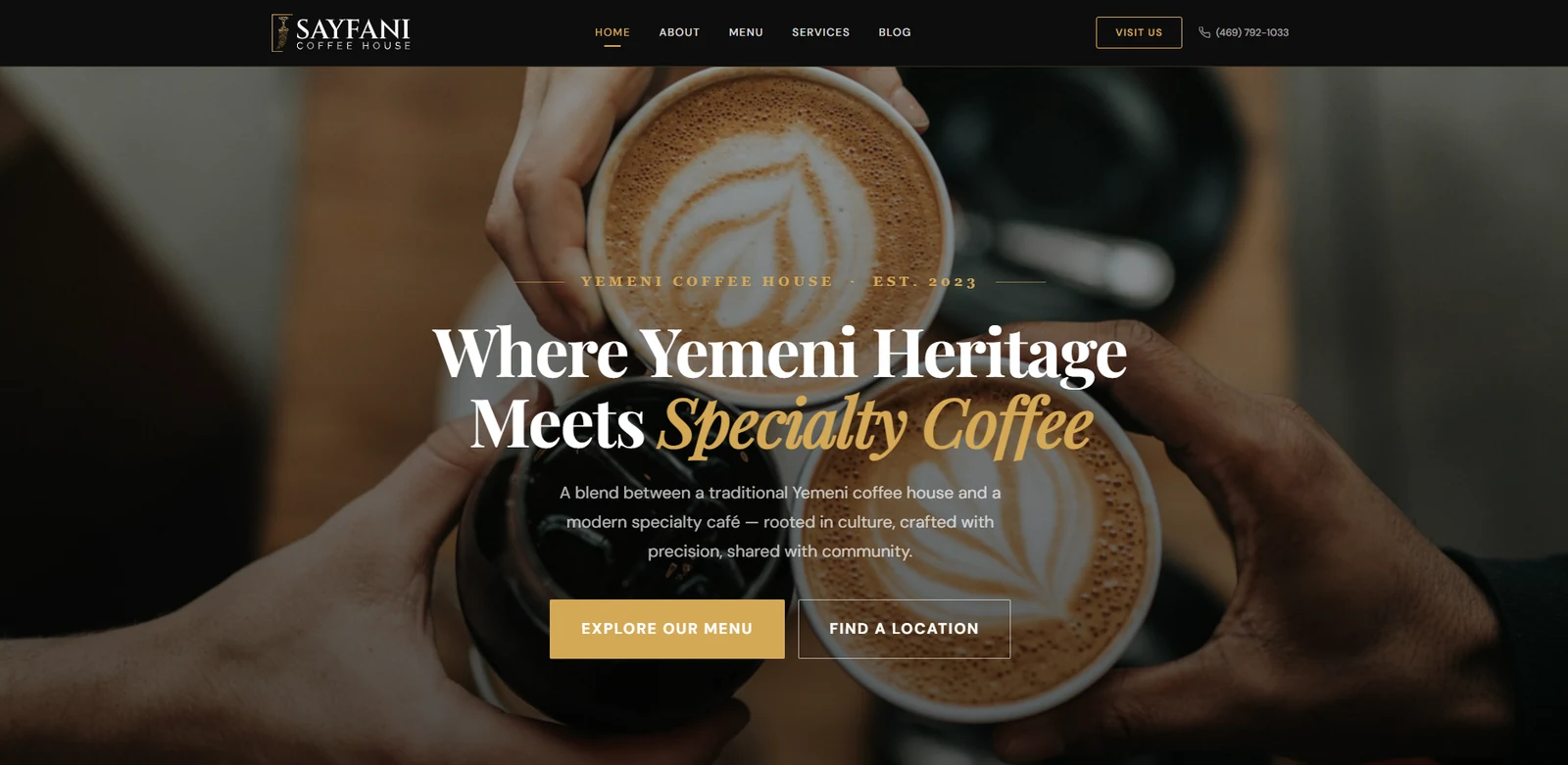
What the first screen does
- States the category and the year in one line, so the visitor knows what kind of place this is
- Names the positioning directly, joining the Yemeni coffee house tradition to a modern specialty cafe
- Offers two actions rather than one, because menu and location are different questions
- Keeps the phone number in the header, not on a contact page
- Carries a Visit Us action separate from the two content routes
- Uses the product photography as the background rather than as decoration
The build side is covered under web design and development
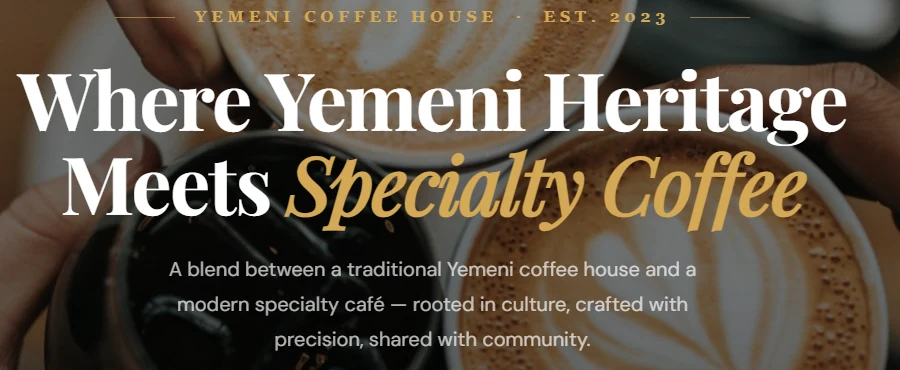


For a specialty coffee house the menu is the product page. It earns the primary button.
A local visitor who already wants to come needs the address, not persuasion.
Kept in the header so no visitor has to navigate to ask a question.
Local customers often reach the site from their phone.
Someone deciding where to get coffee is usually already out. That changes what the first screen has to do, and it changes which element earns the top of the page.
What a phone visitor needs first
- Fast access to the address and the opening position
- A menu that is readable without pinching
- A tappable phone number rather than a number to copy out
- Directions reachable in one action
- Headline type that stays legible at a small size
- Calls to action that remain full-width and thumb-reachable
- No horizontal overflow on the hero imagery
- Nothing that requires hovering to discover
Turn customer actions into structured CRM records.
Capture on a hospitality site is a smaller problem than on a lead generation site, and that is exactly why it gets neglected. The volume is low, so nothing is ever recorded, and then there is no list.
- Name
- Phone
- Enquiry type
- Message
- Date
- Time
- Preferred contact time
- Source
- Page
- Action taken
Ask for the smallest set that lets somebody reply usefully. On a coffee house enquiry that is often a name, a way to reach them, and one line about what they need.
Keep customer activity visible after the form is submitted.
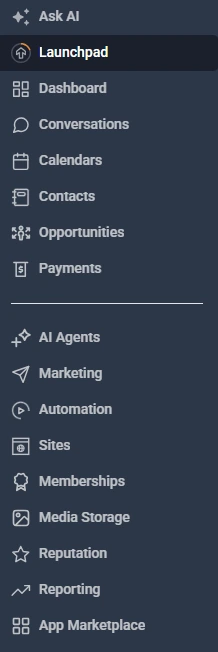
The account is a GoHighLevel sub-account provisioned for the business and named for it. Below is that account, with the platform surfaces it carries down the left side.
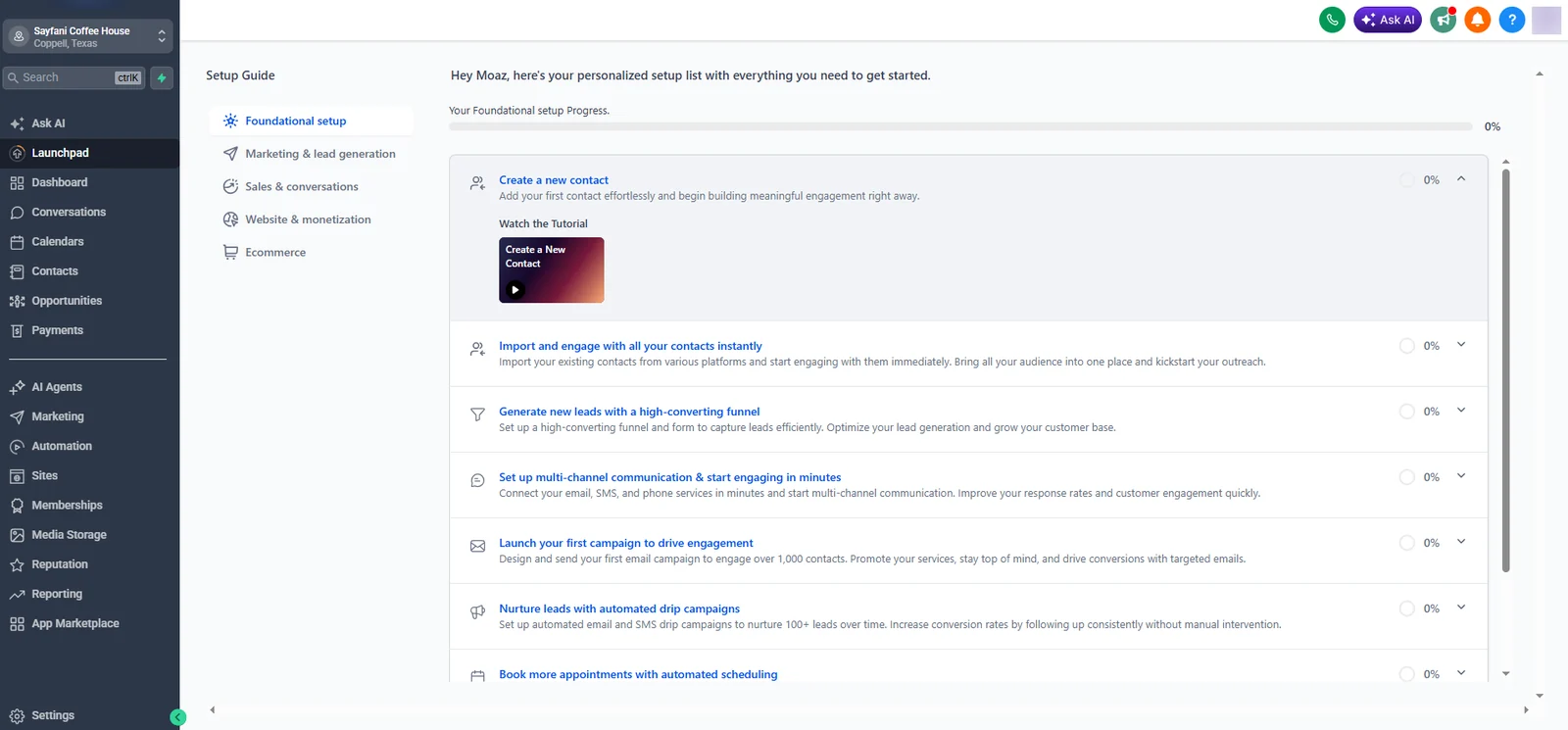
What the account carries
- Conversations, so messages sit against a person rather than in a shared inbox
- Contacts, which is the record every other surface hangs off
- Opportunities, for anything that needs a status rather than just a reply
- Calendars, for requests that are dated
- Automation, for the steps that repeat
- Reputation, which for a local coffee house is the highest-leverage surface on the list
- Reporting, so the activity is countable later
A clear status makes follow-up easier.
This section deliberately does not show a pipeline. No pipeline capture exists for this account, and inventing stage names to fill the space would be describing somebody else's build.
The contact
The person. Persists across every visit, call and message they ever make, and is what a returning customer gets matched against.
Holds
- Name and contact routes
- Conversation history
- Source of the first interaction
- Tags describing what kind of customer they are
The request
The thing they asked for. Happens once, has a state, and is finished at some point. Not every interaction needs one.
Holds
- What was asked for
- Any date the request depends on
- Current status
- Who is dealing with it
Most coffee house interactions only need the first layer. A request layer earns its place when something has to be arranged rather than simply answered, and adding one before that point creates administration without creating clarity.
Automate the repeatable steps while keeping the customer journey understandable.
Hospitality is the category where over-automating is most obvious to the customer. The useful automations here are administrative, and the ones that talk to the customer should sound like the business rather than like software.
Confirm the message arrived and set the expectation that a person will reply. Never implies anything is booked.
The highest-value automation in a small business, because a record nobody knows about is the same as no record.
Contact created, source attached, so the interaction is countable and reachable later.
Somebody owns the reply. In a small team this is one person, which is fine as long as it is explicit.
Chase only what is still waiting on the customer, and stop the moment they reply.
The one automation with outsized leverage for a local coffee house, sent after the visit rather than before.
Automation supported administration and the parts of communication that repeat. Serving customers, running the counter and deciding what the business does next stayed with the team.
Follow-up should feel connected to the original customer action.
Three levels, each with a different tolerance for automation. The further down the list, the more a message needs to sound like a person wrote it.
Internal
Nobody outside the business sees these, so they can be as automated as you like.
- New enquiry notification
- Assignment
- Task creation
Transactional
Factual and expected. Automation here reads as competence rather than as a robot.
- Acknowledgement
- Confirmation
- Reminder
Relational
Where a template is most likely to be noticed. Worth writing carefully and sending sparingly.
- Follow-up
- Review request
- Reactivation
Safeguards matter more than volume. Stop on reply, do not send twice, respect opening hours, and send from an identity the customer recognises
Structure the information so the team can use it later.
The test for any field is whether somebody could act on it six months later. A note nobody can filter is a note nobody will find.
The person. Everything else in the account attaches to this and nothing should exist without one.
Where the interaction came from. The only way to know later whether the website is doing anything.
What kind of interaction it was. A general question and a group booking need different handling.
Whether it is waiting on the business or on the customer. The single most useful thing to be able to filter.
What has already been said, so the next person does not start the conversation again.
Structured fields can be searched, filtered and counted. A paragraph in a note cannot, which is why the same information stored as prose is worth much less
The website and CRM should behave like one customer journey.
Two systems, one path. The handover point is the only place where either of them can quietly fail without anybody noticing.
The website handled the public experience. GoHighLevel handled the structured follow-up behind it.
A local coffee house has different digital needs from a typical lead-generation business.
Nobody fills in a form to buy a coffee. The digital job here is to be findable, be understood, and capture the small number of interactions that genuinely need a reply.
Where it is
The single most requested piece of information on any local hospitality site.
When it is open
A question that becomes a phone call the moment the site does not answer it.
What is served
For a specialty coffee house the menu is the product, which is why it takes the primary action.
How to get there
Directions rather than an address, on a phone, in one tap.
Who to call
Kept in the header rather than behind a contact page.
What kind of place it is
Answered by the positioning line and the photography before any text is read.
How to ask something
The interactions that do need a record, which is where the CRM starts earning its place.
Whether to trust it
Reviews and reputation, which for a local business outweigh almost everything else.
The CRM should support these simple actions rather than complicate them. A coffee house that makes somebody complete a form to ask about opening hours has made the experience worse
My contribution across the Sayfani digital system.
The line is easy to draw here. I worked on the website and the system behind it. Everything that makes a coffee house a coffee house was never mine.
The digital system
Everything between a person not knowing the place exists and the business having a usable record of them.
Scope
- Website
- Website structure and page hierarchy
- Responsive implementation
- Customer journey mapping
- GoHighLevel account setup
- CRM configuration
- Customer capture
- Follow-up and automation
- Testing and troubleshooting
- Ongoing support
Outside my scope
The coffee house itself. None of this was mine and the system was built assuming it never would be.
Not mine
- Coffee shop operations
- Food and drink production
- Staff management
- Inventory
- Customer service in the shop
- Order fulfilment
- Pricing
- Store management
Why it is stated
A hospitality business is judged on the cup and the room. A website and a CRM can help somebody find the place and can stop an enquiry going missing. Neither has anything to do with why a customer comes back.
A clearer digital path for customer activity.
Stated as operational facts. No customer, lead, booking, review, revenue, traffic or ranking figure is claimed, because none has been measured or approved for publication.
- 01Sayfani Coffee House has a customer-facing website.
- 02The site states what the business is before it asks for anything.
- 03Menu and location are both reachable from the first screen.
- 04The phone route stays available on every page.
- 05A GoHighLevel account is provisioned for the business and its market.
- 06Website actions can connect with that account.
- 07Customer information can be organized inside the CRM.
- 08Follow-up and internal notification can run from it where configured.
- 09The website and the CRM support the same customer journey rather than two separate ones.
The system organizes customer activity. It does not bring people through the door, and nothing on this page claims that it did.
What other local hospitality businesses can learn from this setup.
Six things this project kept returning to, each tied to a decision that was actually made here.
The website is only the front end
A customer action still needs somewhere structured to go.
Keep local information obvious
Hours, location, menu, and contact details should not be difficult to find.
Capture only useful information
Forms should collect what the team actually needs for the next step.
Use CRM stages only when they help
A pipeline should make customer status clearer, not create unnecessary administration.
Automation should support hospitality
Messages and reminders should help the team respond without making the experience feel robotic.
Connect the systems
The website, CRM, forms, communication, and team process should support the same customer journey.
Inside the Sayfani Coffee House website and CRM.
Everything held for this project, and a plain statement of what is not. Select any screenshot to open it full size.
Website
GoHighLevel
Not held for this project
Services used in this project.
Two service lines ran here. The site the customer sees, and the system that catches what they do on it.
The customer-facing site. Page structure, mobile experience, contact routes, and the actions the first screen offers.
Marketing automation servicesThe GoHighLevel side. Account setup, CRM organization, customer capture, internal notification, follow-up and review requests.
Related customer journey and automation projects.
Three projects where the same question came up. What happens to a customer action once somebody takes it.
Sixth Sense Martial Arts
The fully configured version of this idea. A nine-stage pipeline, six workflows, trial booking and no-show recovery.
Executive transport, UKXO CABS and Aura Cars
A booking system foundation reused across two operators, with journey details captured before anybody replies.
Ecommerce, TexasDallas Parrots
Website, SEO, paid ads and phone bookings, with customer follow-up connecting all of them.
More on how I work is on the about page, and current availability is on contact
Build a cleaner customer journey behind your local business website.
I can review your website, forms, GoHighLevel account, pipeline, workflows, customer communication, and follow-up process before defining the highest-priority improvements.