CRM Automation 11 min read
Choosing Client Management Software for Small Business
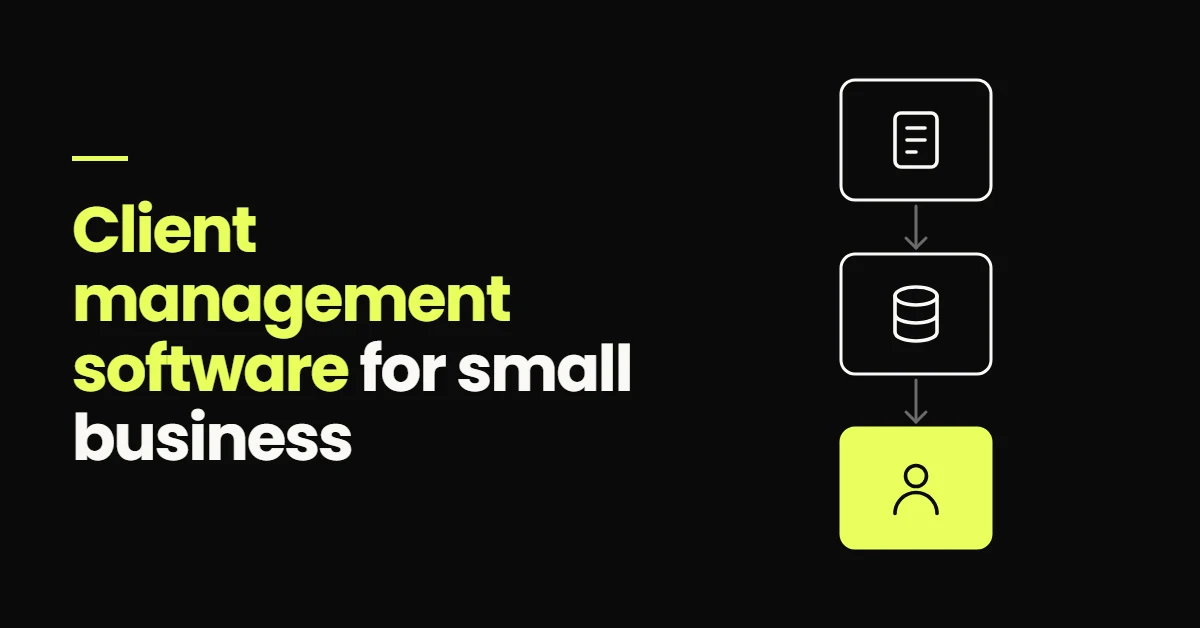
Client management software should do more than store names and phone numbers. For a small business the right system captures leads, keeps every conversation in one place, automates follow-up, manages appointments and shows where each client sits in the sales process.
On this page
Most small businesses do not lose clients for want of another spreadsheet. They lose them because the information is scattered: an enquiry in a website inbox, a quote in someone's sent items, a conversation on WhatsApp, an appointment in a personal calendar.
Client management software pulls those pieces into one record per client and makes the next action obvious. This guide covers what it does, how it differs from a CRM, which capabilities are worth paying for, and when a spreadsheet is still the right answer.
Client management software is a system that helps a small business organise leads and customers, track conversations, manage appointments and sales opportunities, assign follow-up, and keep a complete history of each client relationship. The distinction that matters: a contact database stores information, while a client management system helps you act on it, by giving every enquiry an owner, a stage and a next step.
What is client management software?
It keeps everything about a client in one place and makes that record usable. In most systems that means:
- 01Client and lead records Contact details, service interest, and the source that produced the enquiry.
- 02Communication history Calls, emails, texts and chat attached to the person, not to an inbox.
- 03Appointments and tasks What is booked, what was attended, and what someone has to do next.
- 04Pipeline stages Where each opportunity stands, from new enquiry to won or lost.
- 05Notes and documents Quotes, proposals and the context a colleague needs to pick it up.
- 06Reporting Which sources and stages produce clients, and where they drop out.
The line worth drawing is between storage and action. A client database answers "who is this and what did we agree?" A client management system also answers "what happens next, who owns it, and when?" The second question is where small businesses lose revenue.
Why small businesses outgrow scattered client information
None of these are dramatic on any single day. They compound quietly, and they are what owners describe when they say the business feels busy but leaky.
- 01Leads live in several places Forms, ad platforms, the phone and social inboxes each hold part of it.
- 02Follow-up depends on memory The second and third attempt happen when someone has time, so often not.
- 03Nobody owns the enquiry A shared inbox belongs to the team, which means it belongs to nobody.
- 04Appointments sit apart from history The calendar knows about the meeting, the client record does not.
- 05Attribution is guesswork Without the source on the record, you cannot say what produced a client.
What is the difference between client management software and a CRM?
Mostly wording. CRM stands for customer relationship management, and a modern CRM does what people expect from client management software. The real distinction is with project management software, which organises the delivery of work rather than the relationship that produced it. Plenty of small businesses need both, and they overlap less than people expect.
| Capability | Client management software | CRM software | Project management software |
|---|---|---|---|
| Primary purpose | Organise clients and their care | Manage lead to sale | Organise delivery of work |
| Lead capture | Usually | Yes, forms, ads and calls | Rarely |
| Client records and history | Yes | Yes | Partial, per project |
| Sales pipeline | Sometimes | Yes | No, boards track tasks |
| Automated follow-up | Sometimes | Usually, SMS and email | No |
| Appointments | Often | Often, with reminders | Internal scheduling only |
If a tool covers capture, records, pipeline, follow-up and scheduling, the name on the box does not matter. Judge the capabilities, not the category.
Eight features small businesses should look for
1. Centralised client records
One record per person: contact details, source, service interest, messages, appointments, notes and status. If two people open two systems to understand a client, the record is not central.
2. Lead capture from every source
Forms, landing pages, calls, chat and social lead forms should create the record themselves. Anything that depends on copying an enquiry out of an inbox gets skipped on a busy day.
3. Sales pipeline management
Stages such as New enquiry, Contacted, Appointment booked, Proposal sent, Won and Lost show the pipeline at a glance. Use the stages your business actually has, each defined by an observable event.
4. Automated follow-up
An acknowledgement within minutes, then a short SMS and email sequence while the lead has not replied. The exit rules matter as much as the messages: follow-up must stop when the person replies, books or opts out. Detail in lead follow-up automation.
5. Appointment scheduling
Booking links, confirmations, reminders, self-service rescheduling and a message when someone does not arrive. Scheduling outside the client record is what makes the calendar and the pipeline disagree, covered in appointment booking automation.
6. Lead assignment and ownership
Every open opportunity needs a named owner, a notification and a due time. Route by service, location or rotation, with a fallback so nothing is left unowned.
7. Reporting and attribution
Three questions should be answerable without an export: where did this client come from, how many enquiries became appointments, and where do most people drop out. All three depend on the source being captured when the record is created.
8. Integrations and automation
Website, ad platforms, email, SMS, calendar and analytics should feed the same record. Every disconnected tool becomes manual work, and the gaps between them are where information goes missing.
The client journey a small business system has to cover
- LeadForm, call or ad
- CRM recordSource and owner
- Follow-upUntil they reply
- BookingConfirmed, reminded
- ClientHistory in one place
What it looks like when an enquiry arrives
A professional services firm gets a website enquiry at 7pm on a Thursday. Here is what a connected system does with it before anyone opens a laptop.
-
Instantly
Record created The form writes the contact in, with the service they asked about attached.
-
Instantly
Source tagged Search, campaign or referral is stored, so reporting works later.
-
Instantly
Owner assigned It goes to a named person with a task and a due time.
-
Within a minute
Acknowledgement sent A short message confirms it arrived and asks one useful question.
-
Next days
Follow-up runs A spaced sequence continues only while the lead stays quiet.
-
On booking
Appointment and reminders Booked from live availability, and the stage moves with it.
-
After
Pipeline and attribution Won or lost is recorded against the original source.
Nothing there is clever. It is ordinary admin, done the same way every time, which is exactly what software should be responsible for.
Client management software should connect to your website
On most small business websites the contact form sends an email and the journey ends there. Everything after that depends on somebody reading an inbox.
The form submission is not the end of the website journey. It is the beginning of the client management process.
A submission should create the record, capture the source, open the opportunity, assign an owner and start the first message. That is a build decision rather than a plugin: the form has to pass its data, including campaign parameters, into the system that will act on it. It is the part of web development that decides whether the rest of the system has anything to work with.
Where marketing automation fits
The software gets more useful when repetitive transitions happen on their own: the reply to a new enquiry, the text back after a missed call, the appointment confirmation and reminder, the message after a no-show, the check-in on a quote, the reactivation of an old lead, the review request once work is finished.
That is the line to hold. Automation handles transitions that are identical every time. People handle conversations that need judgement: scoping work, pricing it, handling a complaint. The wider picture is in marketing automation for service businesses, and keeping records and stages accurate is CRM automation.
What changes when the transitions are automated
Without automation
- Lead arrives in an inbox
- Someone has to remember it
- Follow-up happens if there is time
With automation
- Lead arrives and creates a record
- System assigns an owner and a task
- Follow-up runs until they reply
When a spreadsheet is still enough
Plenty of businesses are sold software they do not need yet. A spreadsheet is still reasonable when you have few active clients, one person handles everything, enquiries arrive in ones and twos, and nothing has to be sent automatically. The signs you have outgrown it are specific:
- 01Enquiries are being forgotten Something slipped, and nobody can say when or why.
- 02More than one person needs the record Two people work from different versions of the truth.
- 03Follow-up is inconsistent Some leads get chased three times, others once.
- 04Appointments need reminders Confirmations and reminders take real admin time.
- 05You cannot see the pipeline Nobody can say how many live opportunities exist today.
How to choose client management software for your business
Judge platforms against your own process, not a feature list. Ten questions usually settle it:
- 01Where do your leads come from? Can the system capture each source automatically?
- 02What happens after an enquiry? Write the steps down. That is what the software must support.
- 03How do you actually sell? Appointments, quotes, calls and checkout need different handling.
- 04How many people need access? Ownership and permissions matter once a team is involved.
- 05Which follow-ups repeat daily? Those are worth automating first.
- 06Do you need SMS? In appointment businesses it is the channel that gets answered.
- 07Do you need scheduling? If booking is the conversion, the calendar belongs inside.
- 08Will it connect to the website? Forms should write records directly, with campaign data.
- 09Can you see the pipeline? A live view of open opportunities, without an export.
- 10Can you trace clients to a source? Attribution must be captured at the start to exist at the end.
The best client management software is the one that matches how your business actually acquires and serves clients.
What about GoHighLevel?
GoHighLevel is one option for service businesses that want the CRM and the marketing automation in one place: records, pipelines, workflows, SMS and email, calendars, forms and lead routing. Because they share one record, what a lead does next can trigger the following step without connecting separate tools.
It is more than a very small business needs if all it wants is organised contact storage, and a simpler CRM will be quicker to live. Its value rises when several channels feed the business, when appointments matter, and when somebody is spending hours a week on messages that should send themselves. The build detail lives in GoHighLevel automation for service businesses.
Client management software is only part of the system
Software does not fix a process nobody has defined. The platform provides records, stages, messages and reports. The decisions behind them still have to be made.
Buying software does not create a client management system. The process, pipeline, automation, ownership rules and reporting still have to be designed.
In a working setup the parts connect in one line: traffic reaches the website, the website captures the lead, the CRM holds the record, follow-up reaches the person, an appointment or sale follows, and attribution ties the outcome back to where it started. Designing and building that around how a business sells is what my marketing automation services cover.
- Client management software should centralise the whole relationship: records, conversations, appointments, pipeline and reporting.
- Modern CRM platforms usually provide what small businesses mean when they search for client management software.
- The system has to connect to the website and every other lead source, or records get entered by hand and skipped.
- Automate the repetitive transitions. Keep scoping, pricing and judgement with people.
- Choose around your sales process rather than the longest feature list.
Frequently Asked Questions About Client Management Software
Client management software is a system that helps a small business organise leads and customers in one place: contact details, where each person came from, conversation history, appointments, sales opportunities and notes. The useful versions do more than store it. They give every enquiry an owner, move clients through defined stages, trigger follow-up, and report on which sources produce paying clients.
In practice, very little. CRM stands for customer relationship management, and modern CRM platforms provide what people mean when they search for client management software: contact records, pipelines, communication history, tasks and reporting. "Client management" is how owners describe looking after clients; "CRM" is the same job named from the sales side. What matters is whether the system covers capture, follow-up, scheduling and reporting for the way you sell.
There is no single winner, because the right system depends on what has to happen after an enquiry arrives. A business that needs organised records has different requirements from one booking appointments daily, running paid campaigns and sending automated SMS across a team. Write down your lead sources, sales steps and reporting questions first, then judge platforms against that list rather than their feature count.
Yes, and most do. A CRM handles the same job: one record per client, the history attached to it, stages that show where the relationship stands, and automation that keeps it moving. Small businesses often avoid CRMs expecting enterprise complexity, but a pipeline with a handful of stages and two or three automated messages is usually enough to start. Add complexity when a real gap appears.
Move when the spreadsheet stops being where work actually happens. The usual signs are enquiries that get forgotten, follow-up that depends on who is free, several people needing the same information, reminders eating admin time, and nobody able to say which channel produced last month's clients. If you handle a few clients yourself and nothing slips, a well-kept spreadsheet is still a reasonable answer.
Yes. Most systems can send an immediate acknowledgement when an enquiry arrives, a sequence of SMS and email while a lead has not replied, appointment confirmations and reminders, a message after a missed appointment, and a check-in on quiet quotes. The exit rules matter: automation should stop as soon as the person replies, books or opts out, so nobody is chased after they have already answered.